

Short answer
Choose clinic software on four things before anything else: PDPA controls the vendor can explain in detail, room to add branches without rebuilding, a doctor-fee (DF) engine that follows your own rules, and a quote with every cost itemised. Interface, support speed and specialty features can improve later; missing foundations usually force a full replacement as the clinic grows.
Key points
- Ask about the audit log, consent history, encryption and role-based access. A bare "we support PDPA" is a warning sign.
- If patient data leaks, the clinic that owns it carries the liability, not the software vendor.
- Ask directly whether branch three or four means a new setup fee or another data migration.
- DF should be calculated automatically with withholding tax, not rebuilt in a spreadsheet every month.
- Get an itemised quote: per-user fees, setup, migration and early-termination penalties.
How Do You Choose the Right Clinic Software?
Check four things first: real PDPA compliance rather than a marketing line, room for a second or third branch without an overhaul, a DF (doctor-fee) engine that matches how Thai clinics pay doctors, and pricing you can predict month to month.
Once a vendor answers all four clearly, compare the rest: interface, support speed, specialty features. Those can improve later. A core structure that doesn't support the four usually means replacing the whole system later.
- PDPAThe vendor explains how consent, access logging and encryption actually work.
- BranchesA new branch stays in the same system, with consolidated reports.
- Doctor feesDF follows rules you set, with withholding tax applied.
- PriceThe real total comes from an itemised quote.
- The restInterface, support speed and specialty features, once the first four pass.
Why Check PDPA Before Anything Else?
Because patient health data is sensitive personal data under Thailand's PDPA, and if it leaks, the clinic that owns it carries the liability. The software vendor does not.
Ask every vendor to answer each point on the right below. If one can only offer a vague "we support PDPA", treat that as a warning sign.
Answers to be wary of
- "We support PDPA", with no detail
- One consent checkbox at signup
- No record of who opened a patient file
- Every role sees the same data
Answers you can verify
- Consent kept with full version history
- Audit log of who viewed or edited what, and when
- Encryption at rest and in transit
- Separate access for doctors, nurses and front desk
Will Your Clinic Software Still Work When You Open a Second Branch?
Only if it was built for multiple branches from the start. Software designed for one location splits branch two into a separate data silo, can't report across branches, and usually forces a full system replacement.
Many clinics start with one location and expand later, so check this on day one, even with no expansion planned. Ask too whether opening branch three or four means a new setup fee or a fresh data migration.
Software built for one branch
- Each branch has its own separate data
- No reporting across branches
- A new branch means a new system
Software built for many
- Appointments, history and stock per branch, one system
- Group or single-branch reports on one screen
- Stock and patients move between branches
What DF and Finance Tools Should Clinic Software Have?
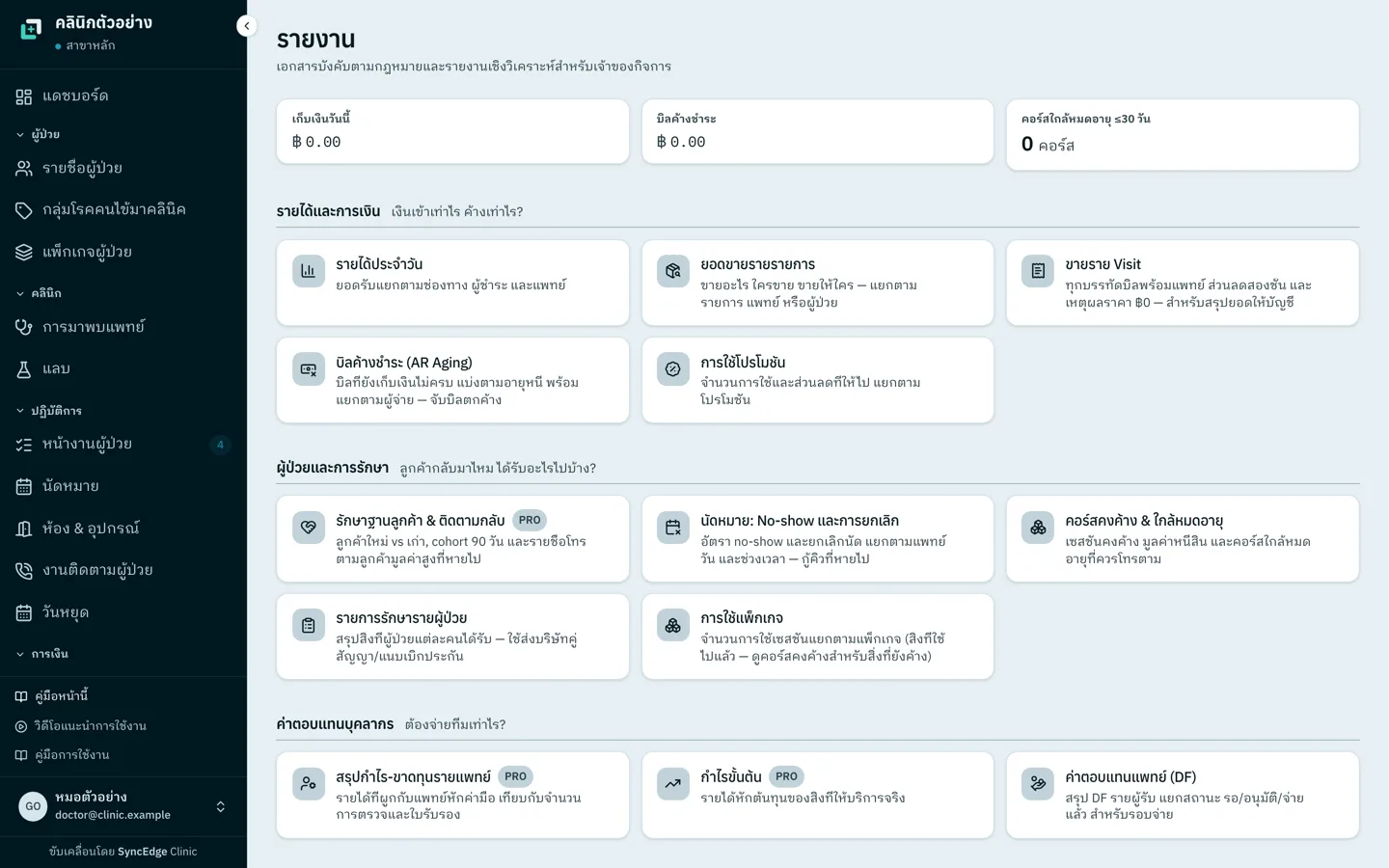
It should calculate DF (doctor fees, ค่ามือแพทย์) automatically by rules you set, apply withholding tax, and summarise the day's revenue in one place. Without that, accounting pulls numbers into a spreadsheet every month, which is slow and easy to get wrong.
The more doctors or branches you have, the earlier this deserves scrutiny. A single DF miscalculation can damage trust with a doctor you've worked with for years.
- Can you configure DF rules yourself, as a percentage per procedure, tiered by revenue, or otherwise?
- Does it calculate DF automatically, including withholding tax, or do you enter it by hand?
- Does the daily revenue summary split cash, transfers and card payments in one place?
- Can it record PromptPay and the other payment methods Thai patients actually use?
Which Clinic Software Pricing Won't Balloon Later?
Pricing backed by a written, itemised quote, with the vendor confirming nothing else will be charged. The monthly figure you see first is often not the final one, because extra costs hide in places clinics don't notice while signing.
Ask every question below before you sign.
- Is pricing per user? Does adding one more staff member cost extra every time?
- Are there setup, training or migration fees that weren't mentioned up front?
- Are the features you need included in the advertised tier, or sold separately?
- Is there an early-termination penalty, or a minimum contract length?
Checklist Before You Decide
- How far does PDPA support go? Is there an audit log you can review yourself?
- Where is patient data stored, in Thailand or overseas?
- Does a second branch mean rebuilding the system or migrating all your data again?
- Is DF calculated automatically, or entered by hand every month?
- Is pricing per user? Does one more staff member cost more?
- Are there costs beyond the quote, like setup or update fees?
- If you leave later, can you export all patient data?
- How many days of real trial do you get, and is a credit card required?
Frequently asked questions
How much does clinic software cost in Thailand?
It varies with features and branch count. A single-location clinic on basic features usually pays from the low hundreds to the low thousands of baht a month. Multi-branch clinics with DF management or accounting integrations often pay tens of thousands of baht a month. Check how many users the quoted price includes, and what each extra user costs.
Does a small clinic with one doctor need software?
Not urgently, if you're a solo doctor with zero or one front-desk staff and a notebook or spreadsheet still keeps up. The tipping point is usually your first employed doctor, when DF calculations begin, or patient volume the spreadsheet can't keep up with. That's when clinic software starts paying for itself.
Where should clinic patient data be stored to be safe?
As a general rule, in Thailand, encrypted at rest and in transit, behind role-based access, with an audit log showing who opened which patient record and when. Before signing, ask the vendor where its servers are and which PDPA measures are actually in place.
Can I migrate data when I switch clinic software?
Usually, but completeness varies a lot. Some systems only export basic fields to Excel; others move full treatment history with attachments. Before switching, ask the new vendor which import formats it accepts from your current system, and whether its team does the migration or you do.
Can I get my patient data out if I stop using clinic software?
It depends on the vendor, so ask before you sign, not when you leave. Get a written answer on the export format, whether it includes full treatment history and attachments or only a patient list, and whether exporting costs extra. The clinic still has to keep its medical records after it leaves the software.